This PR introduces project workflows, allowing users to configure
event-based automations directly from the UI.
Users can define filters and actions for each workflow event, and
duplicate existing events when needed.
### Concepts
Every workflow is composed of `event`, `filters`, and `actions`.
- **Event** - An Event defines when a workflow should be triggered. It
represents specific activities such as an issue being added to the
project, a pull request being merged, or a project column being changed.
- **Filter** - A Filter refines when an event should take effect. It
allows users to specify conditions like issue type, labels, or project
columns to ensure actions only run in targeted scenarios.
- **Action** - An Action defines what happens when the event and filters
match. It performs operations such as adding labels, moving issues
between columns, or changing the issue or pull request state.
### Available Events
Currently, the following eight events are supported:
- On issues/pull requests closed
- On issues/pull requests reopened
- On issues/pull requests was added to the project, including when
created in it
- On issues/pull requests was removed from the project
- On issues/pull requests' column was changed
- On code changes requested
- On code review approved
- On pull request merged
Each event type supports its own set of filters and actions.
### Available Filters
There are four types of filters that can be configured for an event:
- **Apply to** - Specify the target type: `issues only`, `pull requests
only`, or `issues and pull requests`.
- **Labels** - Trigger the event only if the issue or pull request
contains one or more specified labels.
- **Move from column** - Filter events based on the original project
column.
- **Move to column** - Filter events based on the destination project
column.
### Available Actions
There are four types of actions that can be executed when an event is
triggered:
- **Add labels** - Automatically add one or more labels to the issue or
pull request.
- **Remove labels** - Remove one or more specified labels.
- **Move to column** - Move the issue or pull request to a designated
project column.
- **Issue state** - Close or reopen the issue. Pull requests can only be
closed.
### Enable/Disable an event workflow
Each event workflow can be individually enabled or disabled. When
disabled, the workflow will be ignored even if the event occurs. This
feature is useful when you want to temporarily stop certain automated
actions without deleting the workflow configuration. Workflows of closed
projects don't run either.
### Clone an event workflow
When you need multiple workflows for the same event, you can clone an
existing event to create a new one with different filters and actions.
This allows you to customize how the same event behaves under different
conditions, making workflows more flexible and powerful.
### Permissions
Permissions are checked when workflows are managed, not when they run:
- Viewing a project's workflows needs read access to the project
- Managing them needs write access to the project plus write access to
both issues and pull requests of a repository project's repository,
being an owner of an organization project's organization or a site
administrator, or being the user of a user project. Tokens limited to
public repositories can't manage owner-level projects' workflows
- A workflow runs when its event happens to an item of an open project
that can hold the item's repository, unless that repository is archived,
no matter who caused the event, and applies its actions without further
permission checks. Pull requests are never reopened
- Changes show as made by "Project workflow" on behalf of the user who
triggered the event and don't trigger other workflows
- Only users who can read an item can put it on a board or move its card
The management rule is also documented on `CanManageWorkflows` in
`services/projects/workflow.go`.
Fixes: #14359Fixes: #26704Fixes: #27990
Replaces: #28745
Documentation PR: https://gitea.com/gitea/docs/pulls/308
Co-authored-by: bircni <bircni@icloud.com>
Co-authored-by: silverwind <me@silverwind.io>
Co-authored-by: Giteabot <teabot@gitea.io>
Fix various legacy problems, including:

* Don't create default column when viewing an empty project
* Fix layouts for Windows
* Fix (partially) #15509
* Fix (partially) #17705

The sidebar refactoring: it is a clear partial-reloading approach,
brings better user experiences, and it makes "Multiple projects" /
"Project column on issue sidebar" feature easy to be added.

---------

Signed-off-by: wxiaoguang <wxiaoguang@gmail.com>
enable nolintlint scope requirement
add comments to new directives so it's more obvious why they are in
place

---

I can also toggle the mandatory comments on if that's something of
interest.

---------

Co-authored-by: wxiaoguang <wxiaoguang@gmail.com>
Co-authored-by: Giteabot <teabot@gitea.io>
When transferring repositories that have issues linked to a project
board to another organization, the issues remain associated with the
original project board. This causes the columns in the project board to
become bugged, making it difficult to move other issues in or out of the
affected columns. As a solution, I removed the issue relations since the
other organization does not have this project table.

Fix for #31538

Co-authored-by: Jason Song <i@wolfogre.com>
This PR split the `Board` into two parts. One is the struct has been
renamed to `Column` and the second we have a `Template Type`.

But to make it easier to review, this PR will not change the database
schemas, they are just renames. The database schema changes could be in
future PRs.

---------

Co-authored-by: silverwind <me@silverwind.io>
Co-authored-by: yp05327 <576951401@qq.com>
# The problem
The previous implementation will start multiple POST requests from the
frontend when moving a column and another bug is moving the default
column will never be remembered in fact.
# What's changed
- [x] This PR will allow the default column to move to a non-first
position
- [x] And it also uses one request instead of multiple requests when
moving the columns
- [x] Use a star instead of a pin as the icon for setting the default
column action
- [x] Inserted new column will be append to the end
- [x] Fix#30701 the newly added issue will be append to the end of the
default column
- [x] Fix when deleting a column, all issues in it will be displayed
from UI but database records exist.
- [x] Add a limitation for columns in a project to 20. So the sorting
will not be overflow because it's int8.
---------
Co-authored-by: silverwind <me@silverwind.io>
Co-authored-by: wxiaoguang <wxiaoguang@gmail.com>
Noteable additions:

- `redefines-builtin-id` forbid variable names that shadow go builtins
- `empty-lines` remove unnecessary empty lines that `gofumpt` does not
remove for some reason
- `superfluous-else` eliminate more superfluous `else` branches

Rules are also sorted alphabetically and I cleaned up various parts of
`.golangci.yml`.
Fix https://github.com/go-gitea/gitea/pull/29874#discussion_r1542227686

- The migration of v292 will miss many projects. These projects will
have no default board. This PR introduced a new migration number and
removed v292 migration.

- This PR also added the missed transactions on project-related
operations.

- Only `SetDefaultBoard` will remove duplicated defaults but not in
`GetDefaultBoard`
On creation of an empty project (no template) a default board will be
created instead of falling back to the uneditable pseudo-board.
Every project now has to have exactly one default boards. As a
consequence, you cannot unset a board as default, instead you have to
set another board as default. Existing projects will be modified using a
cron job, additionally this check will run every midnight by default.
Deleting the default board is not allowed, you have to set another board
as default to do it.
Fixes#29873Fixes#14679 along the way
Fixes#29853
Co-authored-by: delvh <dev.lh@web.de>
This PR touches the most interesting part of the "template refactoring".

1. Unclear variable type. Especially for "web/feed/convert.go":
sometimes it uses text, sometimes it uses HTML.
2. Assign text content to "RenderedContent" field, for example: `
project.RenderedContent = project.Description` in web/org/projects.go
3. Assign rendered content to text field, for example: `r.Note =
rendered content` in web/repo/release.go
4. (possible) Incorrectly calling `{{Str2html
.PackageDescriptor.Metadata.ReleaseNotes}}` in
package/content/nuget.tmpl, I guess the name Str2html misleads
developers to use it to "render string to html", but it only sanitizes.
if ReleaseNotes really contains HTML, then this is not a problem.
Part of #27065

This PR touches functions used in templates. As templates are not static
typed, errors are harder to find, but I hope I catch it all. I think
some tests from other persons do not hurt.
This PR removed `unittest.MainTest` the second parameter
`TestOptions.GiteaRoot`. Now it detects the root directory by current
working directory.

---------

Co-authored-by: wxiaoguang <wxiaoguang@gmail.com>
Replace #23350.

Refactor `setting.Database.UseMySQL` to
`setting.Database.Type.IsMySQL()`.

To avoid mismatching between `Type` and `UseXXX`.

This refactor can fix the bug mentioned in #23350, so it should be
backported.
I found `FindAndCount` which can `Find` and `Count` in the same time
Maybe it is better to use it in `FindProjects`

---------

Co-authored-by: Lunny Xiao <xiaolunwen@gmail.com>
Original Issue: https://github.com/go-gitea/gitea/issues/22102
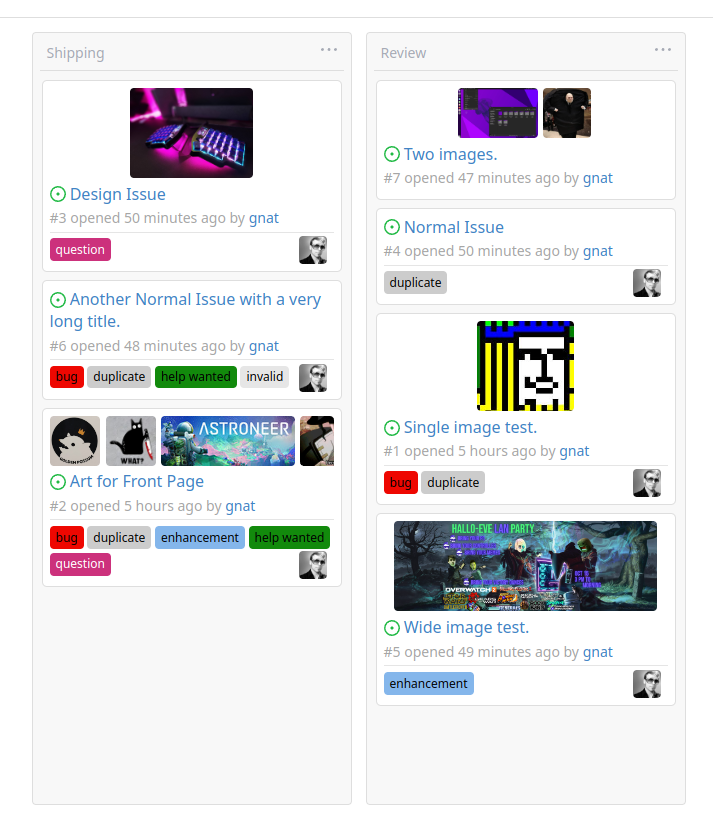
This addition would be a big benefit for design and art teams using the
issue tracking.
The preview will be the latest "image type" attachments on an issue-
simple, and allows for automatic updates of the cover image as issue
progress is made!
This would make Gitea competitive with Trello... wouldn't it be amazing
to say goodbye to Atlassian products? Ha.
First image is the most recent, the SQL will fetch up to 5 latest images
(URL string).
All images supported by browsers plus upcoming formats: *.avif *.bmp
*.gif *.jpg *.jpeg *.jxl *.png *.svg *.webp
The CSS will try to center-align images until it cannot, then it will
left align with overflow hidden. Single images get to be slightly
larger!
Tested so far on: Chrome, Firefox, Android Chrome, Android Firefox.
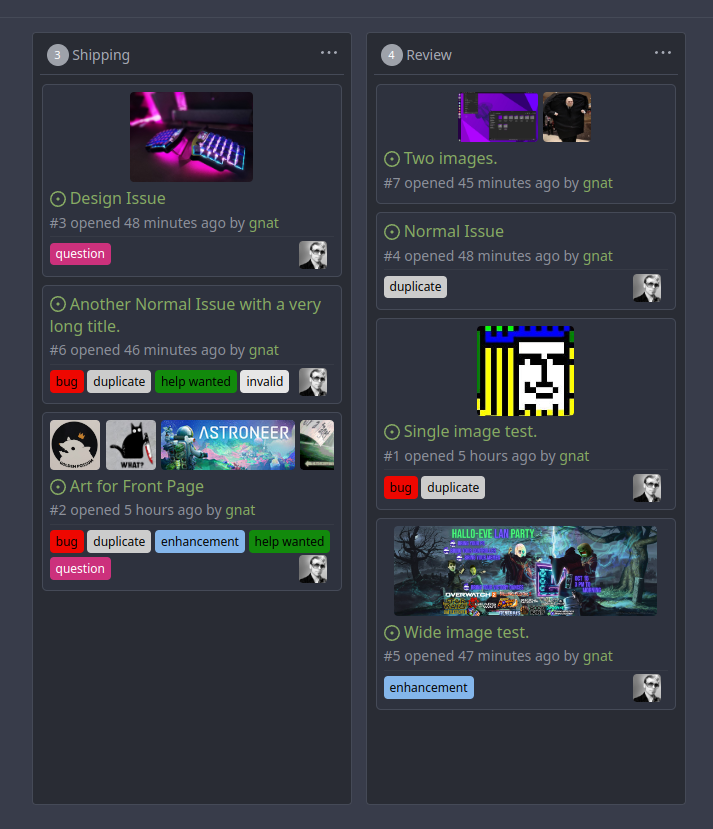
Current revision with light and dark themes:
---------
Co-authored-by: Jason Song <i@wolfogre.com>
Co-authored-by: Lunny Xiao <xiaolunwen@gmail.com>
Co-authored-by: delvh <dev.lh@web.de>
partially fix#19345
This PR add some `Link` methods for different objects. The `Link`
methods are not different from `HTMLURL`, they are lack of the absolute
URL. And most of UI `HTMLURL` have been replaced to `Link` so that users
can visit them from a different domain or IP.
This PR also introduces a new javascript configuration
`window.config.reqAppUrl` which is different from `appUrl` which is
still an absolute url but the domain has been replaced to the current
requested domain.
Instead of re-creating, these should use the available `Link` methods
from the "parent" of the project, which also take sub-urls into account.

Signed-off-by: jolheiser <john.olheiser@gmail.com>
 silverwind
 Lunny Xiao
 Petr Vaněkandsilverwind


 John Smith

 Edip Emre BodurandJason Song

 Denys Konovalovanddelvh
 6543
6543
 JakobDev


 John Olheiser

